BillPro
GST billing software for shops — built for the counter, not a spreadsheet.
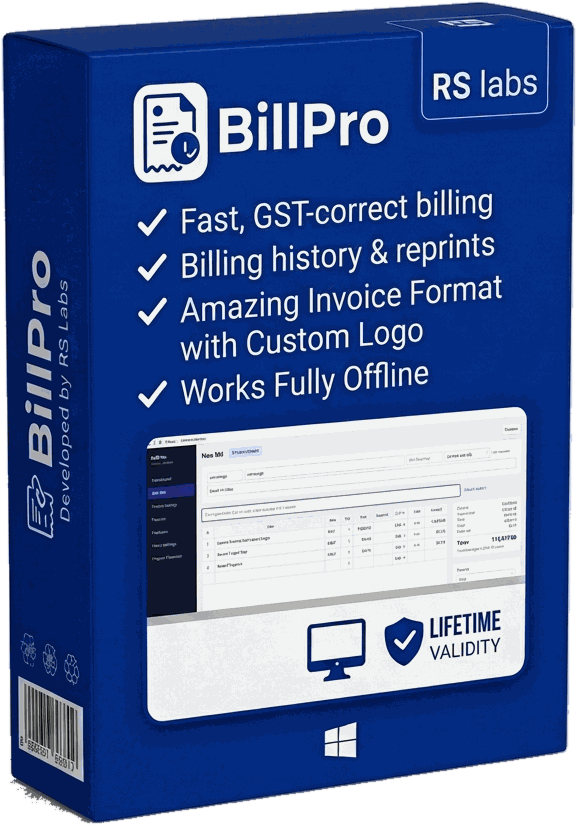
BillPro is installable billing software for retail shops that need real GST compliance without the complexity of a full ERP. Scan a barcode or IMEI, bill a customer, and the GST split, HSN codes, and invoice numbering are handled automatically. Built for the day-to-day of running a shop counter — fast billing, clear reports, and your data backed up locally, not locked in the cloud.
- Works fully offline — no internet needed to raise a bill
- Your data stays on your own PC, not on someone else's cloud
- No yearly licence to re-buy — one install keeps working
- GST-correct invoices with automatic CGST/SGST/IGST split
- Prints to A4 on any regular Windows printer
Pricing shared on request — tell us a bit about your shop and we'll follow up.
// What it does
Everything a shop counter needs, nothing it doesn't.
Fast, GST-correct billing
Scan a barcode or IMEI, or type an item — CGST/SGST/IGST split calculated automatically based on the customer's state.
Dashboard at a glance
Today's sales, bills, GST collected, and average bill value, plus a sales trend and top-selling items.
Billing history & reprints
Search any invoice by number, customer, mobile, item, or IMEI. Cancel or reprint the original in one click.
GST-ready reports
Sales, GST, payment, and item-wise summaries for any period — export straight to PDF for filing.
Product & shop management
Maintain your product list with HSN codes and GST rates, and shop details that auto-fill every invoice.
Local backup & restore
One-click backup of your billing data to your own machine, with restore from any saved backup file.
// See it
A look inside BillPro.
// Who it’s for
Built for the counter, whatever you run.
Mobile & electronics shops
Bill by IMEI or barcode, keep HSN codes correct, and find any past invoice by handset number.
Retail & general stores
Fast counter billing with a maintained product list, so prices and GST rates never get typed twice.
Wholesale & distribution
Interstate billing with automatic IGST, plus item-wise and GST summaries ready for filing.
Any shop leaving spreadsheets behind
If invoices live in Excel or a bill book today, BillPro gives you numbering, reprints, and reports without an ERP.
// The details
Specifications & system requirements.
Product information
- Product
- BillPro — GST billing software
- Latest version
- v1.1.3
- Platform
- Windows desktop (installable)
- Works offline
- Yes — no internet required
- Data storage
- Local to your PC (SQLite), with backup & restore
- Invoice output
- A4 PDF, print or save
- Taxes
- GST (CGST / SGST / IGST) with HSN codes
- Updates
- Free download of the latest build from this page
System requirements
- Operating system
- Windows 10 or 11 (64-bit)
- Processor
- Any modern 64-bit x64 processor
- Memory
- 4 GB RAM or more
- Disk space
- About 200 MB, plus room for your billing data
- Install rights
- Administrator access (standard Windows installer)
- Printer
- Optional — any A4 printer for invoices
// Getting started
How to install BillPro.
Download the zip from this page and extract it — you'll get BillPro_v1.1.3.exe.
Double-click the installer. Windows may show a SmartScreen warning because the app isn't code-signed yet; choose More info → Run anyway.
Approve the administrator prompt and follow the setup wizard.
Launch BillPro and complete the guided setup — shop name, GSTIN, and bank details fill in every future invoice.
Raise your first bill. Set a regular backup from the Backup / Restore screen and keep a copy on a pen drive.
// What’s new
Latest update — v1.1.3.
- Rebuilt the first-run setup as a guided onboarding flow, so a new shop is billing in minutes.
- Your shop's bank details now print on the invoice for direct transfers.
- Long bills no longer get clipped — items continue across pages with the footer repeated and numbering unbroken.
- Cleaner invoice layout: gridded tables and the bank block framed to match.
- Dialogs now size themselves to their content instead of a fixed height.
- Stability and reporting fixes across the billing screens.
// Questions
Frequently asked questions.
Does BillPro need an internet connection?
No. BillPro is fully offline desktop software. Billing, reports, and printing all work with no connection, which means the counter keeps running even when the broadband is down.
Where is my billing data stored?
On your own PC, in a local database. Nothing is uploaded to us or to any cloud service. You own your data — take backups from the Backup / Restore screen and keep a copy on a pen drive or external drive.
Is there a yearly licence fee?
Pricing is shared on request rather than published here. Get in touch and we'll walk you through it for your shop.
Are the invoices GST-compliant?
Yes. Invoices carry your GSTIN, HSN codes, and the correct CGST/SGST or IGST split based on the customer's state, with sales and GST summaries you can export to PDF for filing.
Can I run it on more than one computer?
Each install keeps its own local data. If you need several counters sharing one set of books, tell us about your setup and we'll advise on the right arrangement.
Why does Windows warn me when I run the installer?
The installer isn't code-signed yet, so Windows SmartScreen shows a caution on a file it hasn't seen often. Choose More info → Run anyway. The download on this page is the build we publish.
Want to see BillPro run for your shop?
Talk to us →