
GymPro
Gym membership & billing software — every member, plan, and payment in one place.
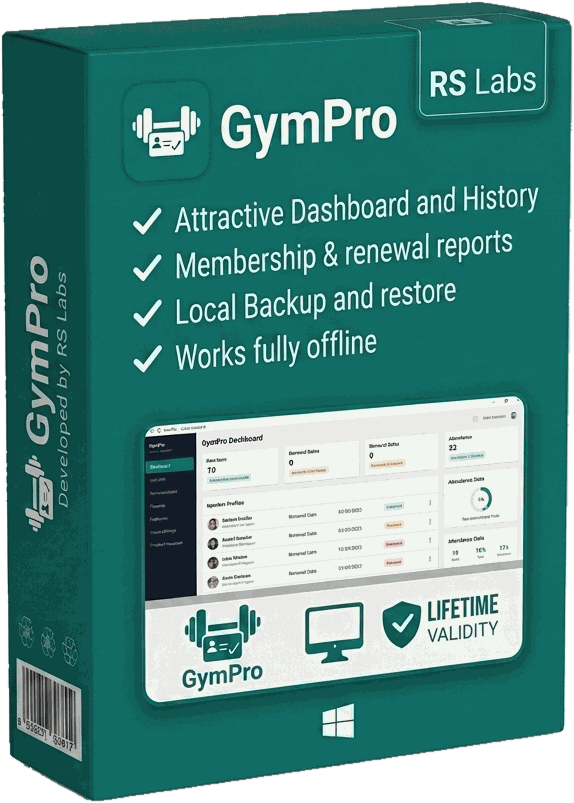
GymPro is installable desktop software for gyms and fitness studios that need to track members, memberships, and dues without a spreadsheet falling apart. Register a member, assign a plan and any extra services, and renewals, pending dues, and expiries are tracked automatically. Built for the front desk — fast check-ins, clear reports, and your data backed up locally, not locked in the cloud.
- Works fully offline — no internet needed at the front desk
- Your member data stays on your own PC, not on someone else's cloud
- No yearly licence to re-buy — one install keeps working
- Expiries, renewals, and pending dues tracked automatically
- Prints receipts and reports on any regular Windows printer
Pricing shared on request — tell us a bit about your gym and we'll follow up.
// What it does
Everything a front desk needs, nothing it doesn't.
Member management
Register, search, and manage every member profile — mobile, plan, status, and pending dues at a glance.
Dashboard at a glance
Active members, new registrations, expiring soon, expired, today's collection, and pending dues in one screen.
Plans & extra services
Assign a membership plan plus optional add-ons — personal training, sauna, pool — with the total fee calculated automatically.
Fees, payments & receipts
Record payments by cash, card, or UPI, search any receipt, and print or cancel it in one click.
Membership & renewal reports
Membership, registration, renewal, collection, and outstanding-fee summaries for any period — export straight to PDF.
Local backup & restore
One-click backup of your membership data to your own machine, with restore from any saved backup file.
// See it
A look inside GymPro.
// Who it’s for
Built for the front desk, whatever you run.
Neighbourhood gyms
Register a member, assign a plan, and let renewals and expiries track themselves instead of living in a register.
Fitness & CrossFit studios
Handle memberships alongside add-ons like personal training, with the total fee worked out automatically.
Yoga & dance studios
Batch-based memberships with clear records of who has paid, who is due, and whose plan lapses this week.
Any gym on a spreadsheet
If members and dues sit in Excel today, GymPro gives you receipts, renewals, and reports without a monthly SaaS bill.
// The details
Specifications & system requirements.
Product information
- Product
- GymPro — gym membership & billing software
- Latest version
- v1.0.4
- Platform
- Windows desktop (installable)
- Works offline
- Yes — no internet required
- Data storage
- Local to your PC (SQLite), with backup & restore
- Payments
- Cash, card, and UPI, with printable receipts
- Reports
- Membership, renewal, collection & outstanding — export to PDF
- Updates
- Free download of the latest build from this page
System requirements
- Operating system
- Windows 10 or 11 (64-bit)
- Processor
- Any modern 64-bit x64 processor
- Memory
- 4 GB RAM or more
- Disk space
- About 200 MB, plus room for your member data
- Install rights
- Administrator access (standard Windows installer)
- Printer
- Optional — any A4 printer for receipts and reports
// Getting started
How to install GymPro.
Download the zip from this page and extract it — you'll get GymPro_v1.0.4.exe.
Double-click the installer. Windows may show a SmartScreen warning because the app isn't code-signed yet; choose More info → Run anyway.
Approve the administrator prompt and follow the setup wizard.
Launch GymPro and complete the guided setup — gym name and details fill in every future receipt.
Add your membership plans, then register your first member. Set a regular backup from the Backup / Restore screen.
// What’s new
Latest update — v1.0.4.
- Rebuilt the first-run setup as a guided onboarding flow, so a new gym is registering members in minutes.
- Polish and stability fixes across the member and payment screens.
- Dialogs now size themselves to their content instead of a fixed height, so longer member and plan forms are fully visible.
// Questions
Frequently asked questions.
Does GymPro need an internet connection?
No. GymPro is fully offline desktop software. Registrations, payments, receipts, and reports all work with no connection, so the front desk keeps running even when the broadband is down.
Where is my member data stored?
On your own PC, in a local database. Nothing is uploaded to us or to any cloud service. You own your data — take backups from the Backup / Restore screen and keep a copy on a pen drive or external drive.
Is there a monthly or yearly fee?
Pricing is shared on request rather than published here. Get in touch and we'll walk you through it for your gym.
Does it handle renewals and expiring memberships?
Yes. The dashboard shows active members, new registrations, memberships expiring soon, ones already expired, today's collection, and pending dues, so nothing lapses unnoticed.
Can I charge for extras like personal training?
Yes. Assign a membership plan plus optional add-ons such as personal training, sauna, or pool, and GymPro totals the fee automatically.
Why does Windows warn me when I run the installer?
The installer isn't code-signed yet, so Windows SmartScreen shows a caution on a file it hasn't seen often. Choose More info → Run anyway. The download on this page is the build we publish.
Want to see GymPro run for your gym?
Talk to us →